
DISCLOSURE: I received a review copy of this book from No Starch Press in October 2025. The following represents my honest opinions – I do not receive any sort of additional compensation including affiliate rewards from links presented herein. I purchased a physical copy of the book prior to this review.
Almost 4 years ago I started this blog with a series on creating a Game Boy (specifically DMG) game from scratch using gbdk-2020 called Pocket League. That series is available here in its entirety. The game got a bit of popularity after I cross-posted my blog series to Reddit and used to drive the majority of traffic to the blog. The series is also featured as one of the tutorials in GBDK now. And while that’s flattering, I’m a little embarassed after reviewing the old Pocket League code with fresh eyes!
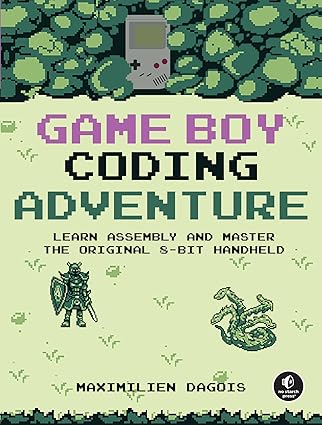
In the years since, I’ve not really done much game programming at all, much less for old hardware like the Game Boy. I was surprised when No Starch Press reached out to me with a new book from Maximilien Dagois, Game Boy Coding Adventure. Despite my insistence that this is a personal blog, doesn’t see much traffic, and I’ve never really reviewed anything before, they asked if I’d read the book and write a post about it.
Overview
At its heart Game Boy Coding Adventure is a textbook on assembly programming for the Game Boy written by someone who’s clearly passionate about making games.
The way I’ve been thinking about where this book sits is that there is a sort of spectrum in terms of the level of assistance a resource can provide for building something. At the most “hand-holding”, you have tutorials, which gives you a working, minimal example, but not much explanation on why something works. At the other end, you have documentation – think a list of opcodes and their effects. That will tell you what the hardware does, but not what to do with it. This book sits in the middle. It provides fairly in-depth documentation on the assembly instructions but backs that up with excellent examples in the form of a companion GitHub repository.
For instance, if you’ve not worked with sprites on the DMG, there’s several layers of indirection and you can’t just draw a single pixel wherever you want. You’ve got work RAM (WRAM), video RAM (VRAM), the object attribute mapper (OAM), some of which need to be accessed only during vertical blanking (vblank). If that’s a lot to grok right off the bat, you’re right! It would take days to build a working example from scratch, and you’d probably hit all sorts of weird issues.
Dagois does a good job of not only providing an example of everything working correctly, but also shares intentionally broken examples describing common pitfalls and how to fix them. I’m using the sprites example here because this is one of the more obvious cases where this happened – and the result is you can visually see when things go wrong alongside a clear explanation of why.
Here’s a link to the examples:
You should be able to run these assuming you have the rgbasm toolchain as mentioned in the README.
It should be said that while the book is good, the true gold lies in the companion code repository. Without those companion examples, Game Boy Coding Adventure is just another reference manual. In addition to the examples, I love the scaffold code that shows how to physically arrange files. If you’re just getting started, an opinionated framework is a great way to get off the ground quickly in a relatively safe way. It’s certainly better than dumping all your macros and functions into a single main.asm that grows infinitely! Below I have an example of a bit of code I wrote following the book and I took extensive advantage of the scaffolding and utility functions to build it out.
One caveat: I didn’t really cover much of the later Game Boy revisions like the Game Boy Color (CGB), Super Game Boy (SGB), Game Boy Printer, or the Game Boy Camera. I had all that hardware originally back in the day and played the hell out of them, but they aren’t anything I’m willing to dig out of my childhood closet to bring back to life. I’m sure those sections are equally thorough as the others, but I skipped them when they came up.
Who’s the Book For?
I think it’s important to identify the audience for a book like this. It’s probably obvious, but I’m not sure it’s a book for beginner programmers. I’d expect most people reading this to have a fairly strong background in programming or better yet computer science. In assembly, most people will struggle to keep a mental map of even trivial codebases – even more so than using higher-level languages. Some of the more advanced examples are fairly complex, such as implementing a 4-bit linear feedback shift register or moving the stack pointer to WRAM instead of HRAM. Nothing’s impossible, but it’ll be easier to build on things you already know rather than starting completely from scratch.
For those that aren’t comfortable with bare metal, there’s obviously gbdk if you’re comfortable with C or even GB Studio if you want a visual tool. Obviously, neither of these are covered in the book, but it’s an option for those that maybe ask if they’re ready for assembly programming.
Ultimately, if you like computer hardware, tinkering, and maybe banging your head against the desk debugging something, this book is for you and you’ll certainly learn a lot.
Improvements
Nothing’s perfect and this book is no exception.
Game Boy Coding Adventure does a fantastic job at providing standalone examples of the concepts it’s trying to teach you. But I found it a bit lacking in its ability to tie those concepts together well.
Let’s talk about the sprite example. You might expect that the sprite sample shows you how to draw a sprite, have it respond to input, maybe use the OAM flags to flip a sprite when moving left vs. right, etc. But it doesn’t – and it’s not really mentioned anywhere in the book, either. When I was writing my own code, I found the need to write this from scratch. Taking user input and having things move on the screen is fundamental to any game – shouldn’t there be an example of that happening? The closest I found was scrolling the background via writing data to the screen X and Y addresses, which is close, but not exactly what I was looking for. I found myself writing this functionality from scratch, and I can’t imagine that’s not a solved problem in this ecosystem given that it’s 35 years old at this point.
Of course, there are full games available to reference in the companion repository, and while they’re invaluable to see how a more complex game is structured, they’re still only a reference. I couldn’t find them mentioned in the book.
All in, this is a minor point if you have prior programming or computer science experience. It’s why I recommend the book to those people because as mentioned before, this isn’t really a tutorial and you should expect to need to solve your own problems to get a game off the ground.
What’s Next?
The most important action you can take after reading a resource such as Game Boy Coding Adventure is to try to build something real, and that’s exactly what I’ve done. While I’m not ready to show off fully what I’m working towards, here’s a little screenshot:

This is from the BGB emulator (same as is used for Pocket League) and is pretty basic. The plane is a “metasprite” – it’s six 8x16 sprites moving in unison in response to user input. This is the same idea as the rotating car graphic from Pocket League, just a bit expanded (see the writeup on that here). If you’re turning like in the screenshot, the plane banks by about 15 degrees in either direction. This short demo took a few hours to put together using the resources from Game Boy Coding Adventure, which I plan to expand in the coming weeks.
Conclusion
I recommend this book if you’re interested in bare-metal assembly programming for the Game Boy. It serves as a great bridge between terse documentation and practical examples to build your understanding. But beware, while this book is thorough, but it’s not going to hold your hand too much. The templates Dagois lays out for you are excellent. Still, you will be required to learn the toolchain, figure out how to implement data structures and algorithms in Z80 assembly, and exercise good debugging skills to build out your next Game Boy game.
If you’d like to purchase a copy of the book, you can find it at No Starch Press. Chapter 7 is free for you to review before you buy.
That’s all for now. Thanks for reading!